Documentation Template
Good documentation starts with a structure. This pack gives you editable templates for the documents teams write most — technical design documents, standard operating procedures, user guides, runbooks and project documentation plans — plus a change log and review checklist, with guidance on what goes in each section.
Documentation Template Pack
Editable technical design document, SOP, user guide, runbook and documentation plan templates, with a change log workbook and a documentation review checklist.
- Technical design document (DOCX)
- SOP template (DOCX)
- User guide template (DOCX)
- Runbook template (DOCX)
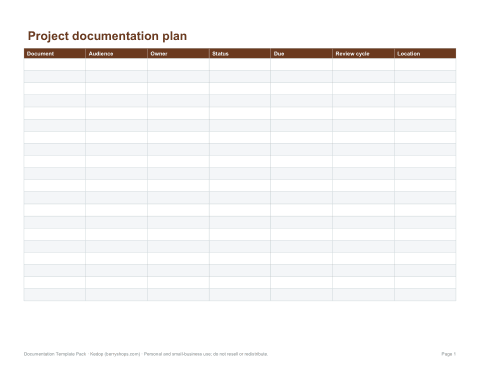
- Documentation plan (XLSX)
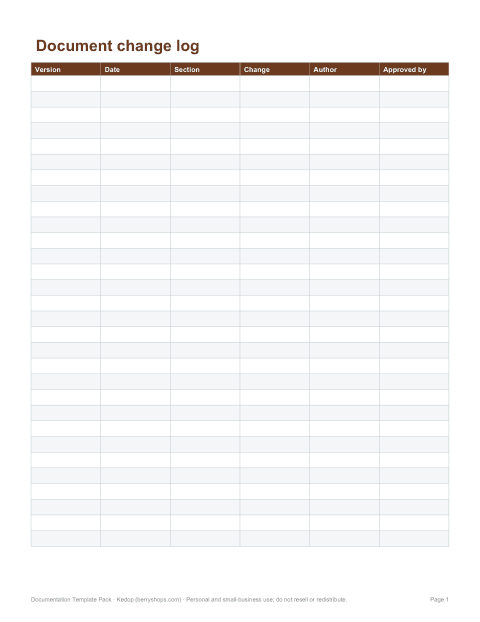
- Change log (XLSX)
- Review checklist (PDF, DOCX)
Formats: DOCX, PDF, XLSX. Instant download after payment (link valid 72 hours, up to 5 downloads). AI-assisted: the templates were drafted with AI help and reviewed and laid out by Kedop.
$9.00 USD, one-time
Secure card checkout by Stripe. Full refund within 7 days — see the refund policy and license.
Templates in the pack
| Template | Purpose | Key sections |
|---|---|---|
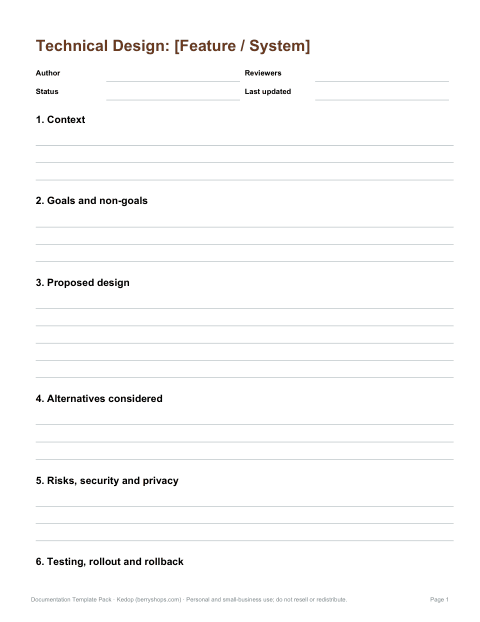
| Technical design document | Describe how a system or feature will be built before building it | Context, goals and non-goals, proposed design, alternatives, risks, rollout |
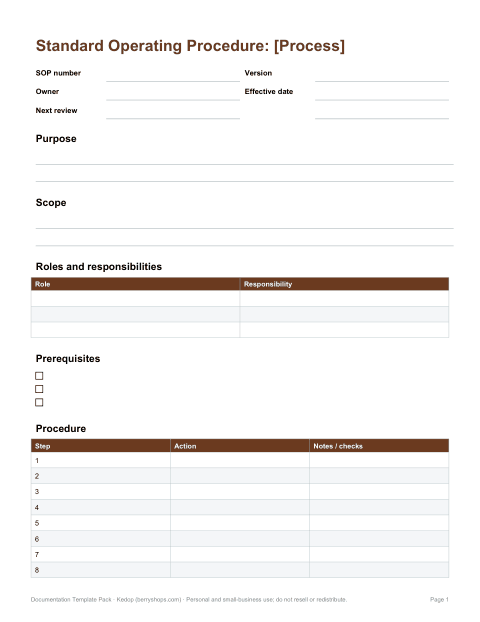
| Standard operating procedure (SOP) | Document a repeatable process so it is done the same way every time | Purpose, scope, roles, prerequisites, step-by-step procedure, records |
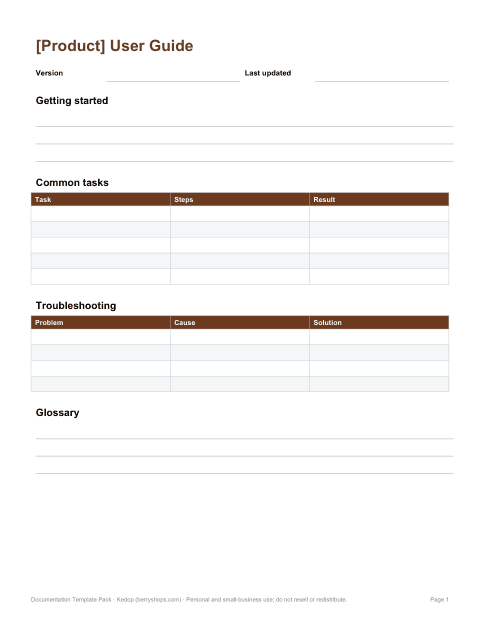
| User guide | Help end users complete tasks with a product | Getting started, tasks, troubleshooting, FAQ, glossary |
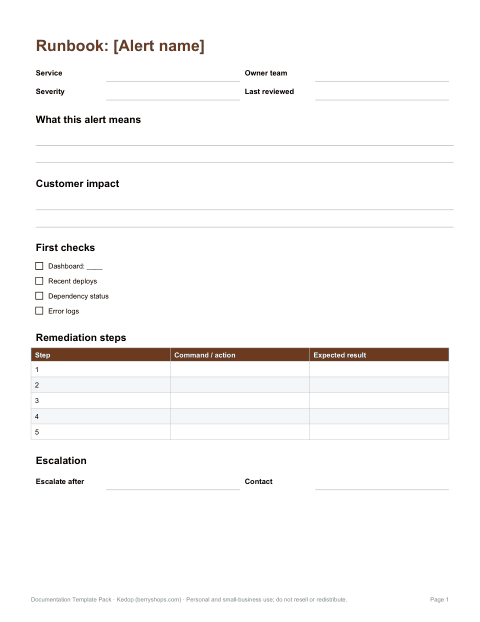
| Runbook | Tell on-call staff how to handle an alert or incident | Symptoms, impact, diagnosis steps, remediation, escalation |
| Project documentation plan | Plan which documents a project needs and who owns them | Audience, document list, owners, review cycle |
| Change log | Record what changed in a document or product and when | Version, date, change, author, approver |
| Review checklist | Check a document before publishing | Accuracy, completeness, clarity, formatting |
Why use documentation templates
Templates save time, but their bigger value is consistency. When every design document has a “goals and non-goals” section and every SOP lists prerequisites before the steps, readers know where to look and writers are prompted not to skip important content. Templates also make reviews faster, because reviewers can compare like with like. Keep them light: a template should guide, not force every document into sections it does not need.
Writing a technical design document
- Context — what problem are we solving and why now?
- Goals and non-goals — what success looks like, and what is deliberately out of scope.
- Proposed design — architecture, data flow, interfaces, with diagrams.
- Alternatives considered — options rejected and why.
- Risks and open questions — security, privacy, performance, dependencies.
- Rollout and testing — how it will be deployed, monitored and rolled back.
Share the document early as a draft. Its purpose is to surface disagreements before code is written, when changes are cheap.
Writing an SOP
- Start each step with a verb: “Open”, “Check”, “Record”.
- One action per step; number the steps.
- State prerequisites — access, tools, safety equipment — before the first step.
- Include decision points as “If … then …” and link to the relevant section.
- Add screenshots or photos where a step is easy to get wrong.
- Record who owns the SOP, when it was last reviewed and the next review date.
Writing a user guide
Organise a user guide around tasks people want to do, not around the screens of the product. Use the reader’s words, put the most common tasks first, and keep reference details (settings, limits, error codes) in a separate section. Every task should end with what the user sees when it worked. A short troubleshooting section for the most common problems saves many support tickets.
Writing a runbook
A runbook is read under pressure, often at night. Put the most important information at the top: what the alert means, the customer impact and the first thing to check. Use copy-paste commands with placeholders clearly marked, link to dashboards, and state when to escalate and to whom. After each incident, update the runbook with anything that was missing.
Keeping documentation up to date
- Assign an owner to every document.
- Add a “last reviewed” date and review cycle to the header.
- Update documentation as part of the same change that alters a process or feature.
- Record changes in a change log so readers can see what is new.
- Archive documents that are no longer accurate rather than leaving them to mislead.
Who it is for
Engineering teams, product managers, operations and quality teams, technical writers, small businesses documenting processes, and students learning technical writing.
Formats
All templates are editable Word (DOCX) files with PDF copies for reference; the change log and documentation plan are Excel workbooks.
Frequently asked questions
What should a documentation template include?
A header with owner, version and review date, then sections suited to the document type, such as goals, procedure or troubleshooting.
What is the difference between an SOP and a runbook?
An SOP documents a routine process; a runbook guides on-call staff through responding to specific alerts or incidents.
Can I use these templates in Google Docs?
Yes, upload the DOCX files to Google Drive and open them with Google Docs.
Are the templates editable?
Yes, all templates are editable Word and Excel files.
Was AI used to create the templates?
The templates were drafted with AI assistance and then reviewed, edited and formatted by Kedop.